“Leave & time tracking your whole team will actually use.”
Manage PTO, sick leave, holidays, and approvals — and, when you need it, capture work time, activity, and screenshots from the desktop. Two products, one beautiful platform.
Vacation
12.5 days
Sick
6 days
Stock
12 days
Other
5 days
Pending approval
Riley Chen
1 day ago
Ava Davis
4 days ago
Sam Rivera
8 days ago
Mia Wilson
5 days ago
Mini team calendar
Admin approval
See it in action
A product your team will actually enjoy using
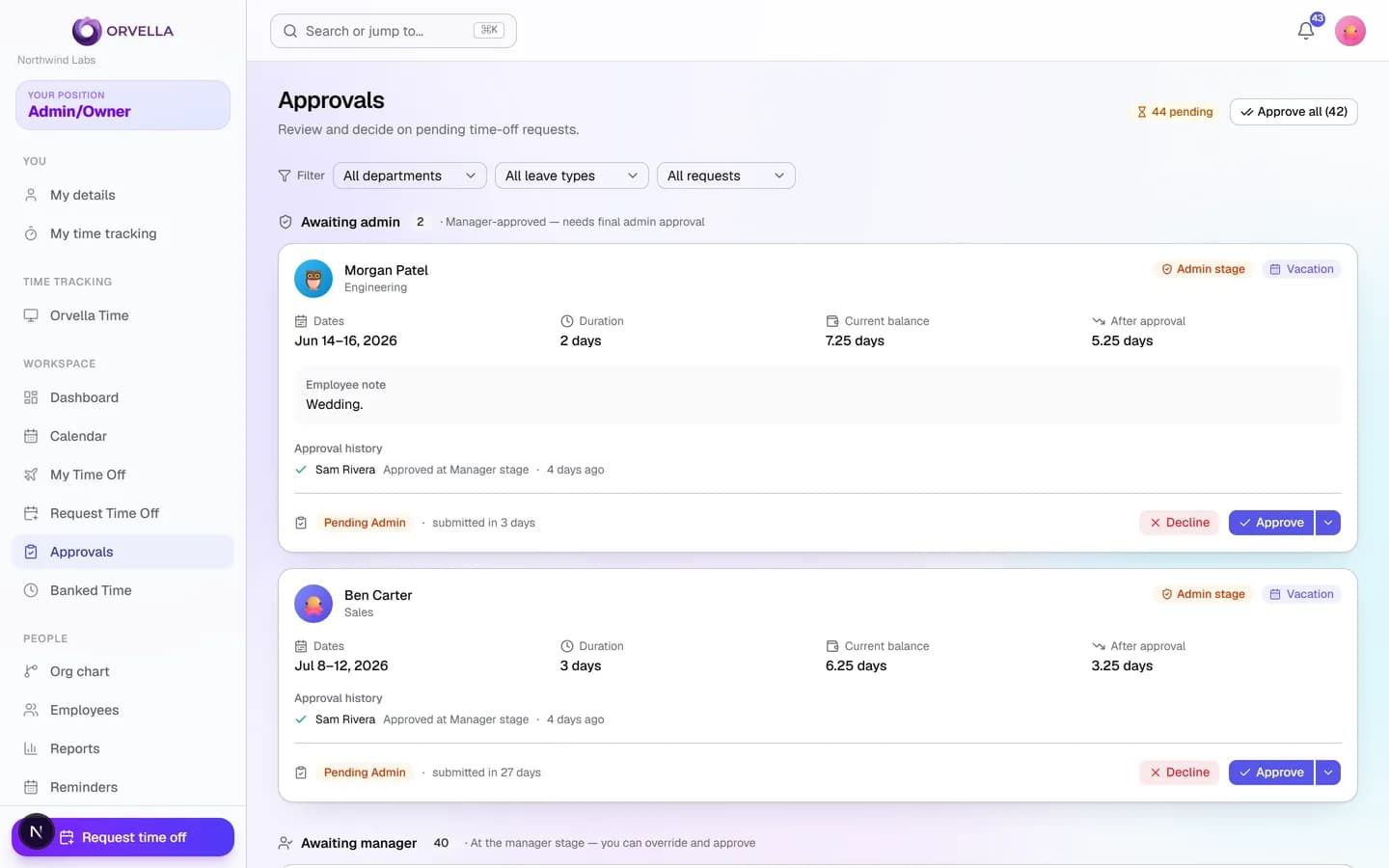
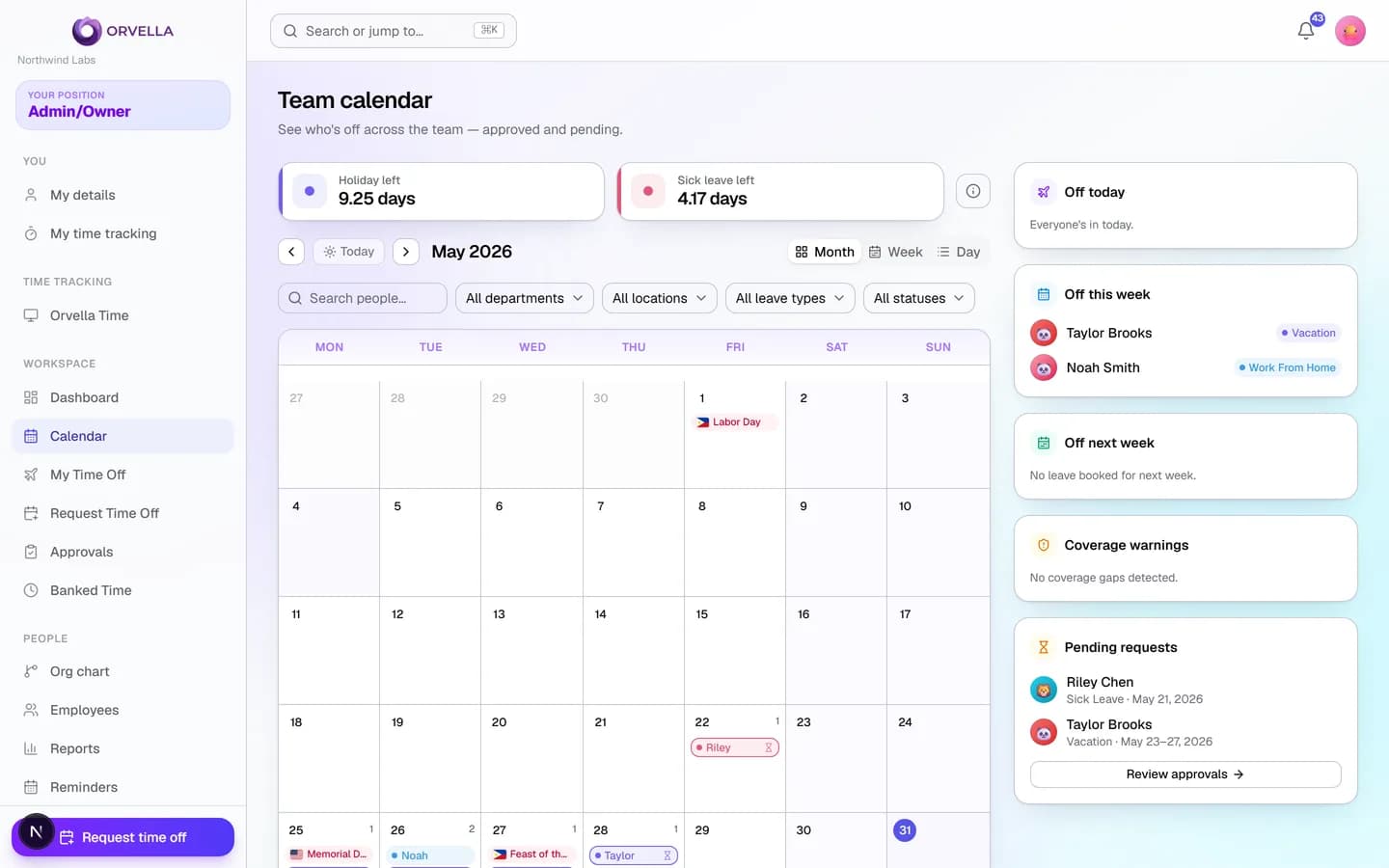
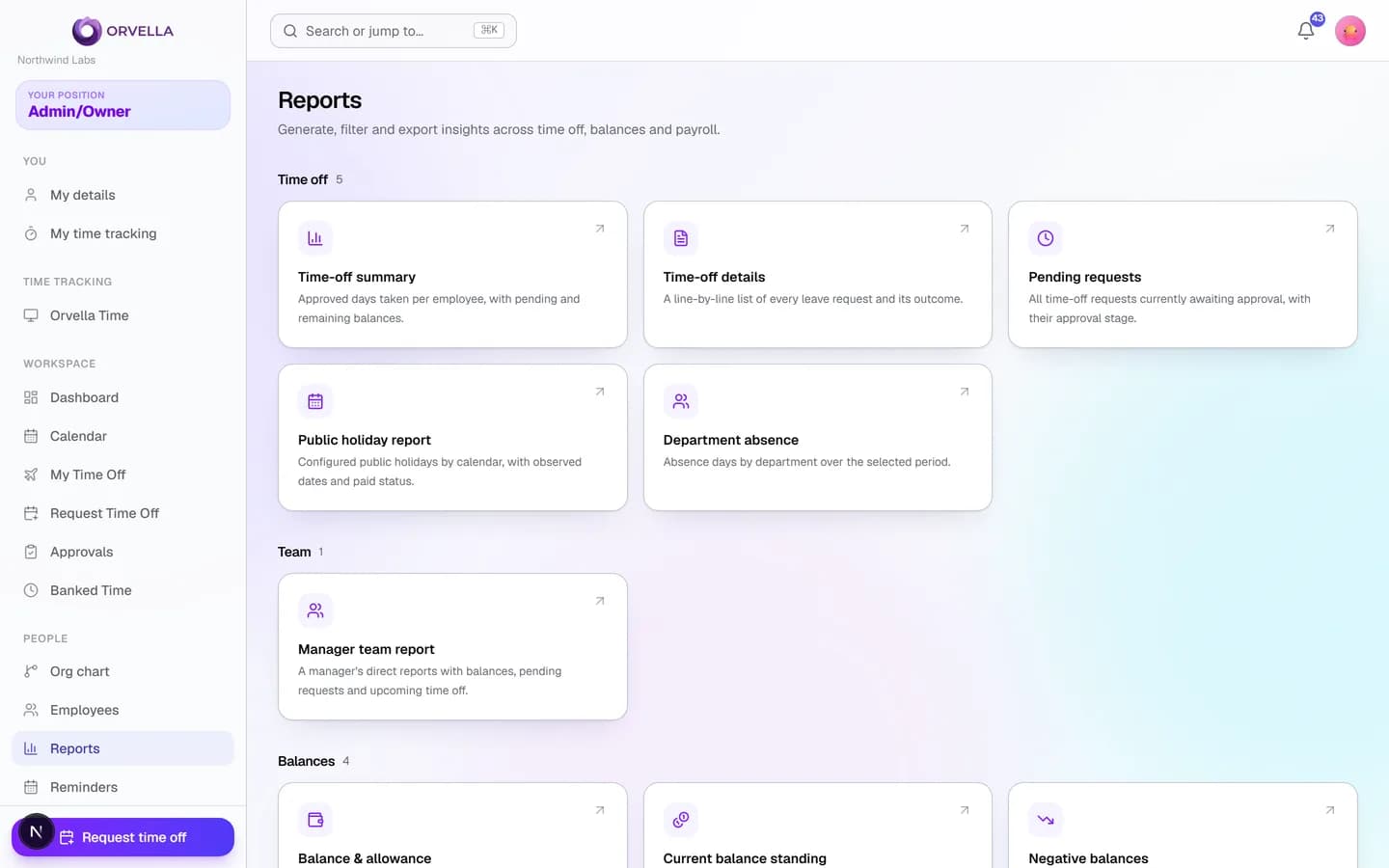
Real screens from Orvella — the dashboard, approvals, team calendar, and reports. Click through, or watch it cycle.
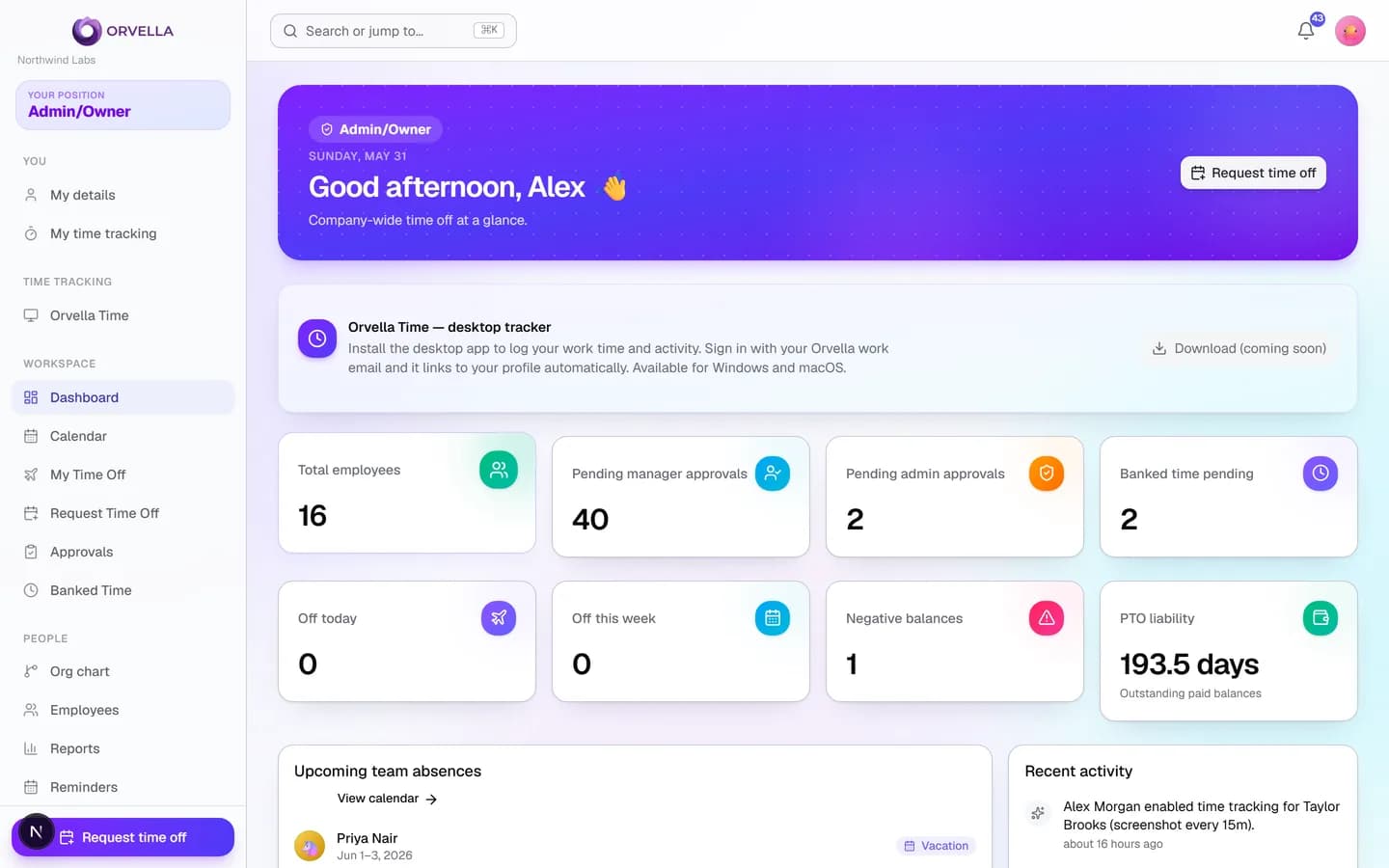
Everything at a glance — who's off, what's pending, and your PTO liability.
Two products, one platform
Leave management and time tracking, together
Orvella runs the operational core of time off — PTO, sick leave, holidays, banked time, approvals, and reporting — and adds optional desktop time, activity, and screenshot tracking when you need visibility into how work happens.
PTO & vacation
Allowances, monthly accruals, carryover, and balances that are always accurate.
Sick leave
Track paid sick time with its own rules, partial days, and emergency flags.
Public holidays
Holiday calendars that are automatically skipped when calculating leave.
Two-level approvals
Requests route to the manager, then optionally an admin — with a full decision trail.
Team calendar
A fast, filterable calendar showing who's off, color-coded by leave type.
Banked / comp time
Log overtime and travel, apply multipliers, and transfer it into balances.
Reports & CSV
Balances, liability, accruals, pending approvals — exportable in a click.
Audit-grade ledger
Every balance change is recorded and every snapshot rebuildable from the ledger.
Screenshots
Optional periodic multi-monitor screenshots from the desktop app, visible to managers and admins.
Activity tracking
Active vs. idle time, app and website usage, plus keyboard & mouse activity per interval.
Time tracking
Desktop clock-in that links to each person's HR profile and follows the policy you set.
Per-person policies
Decide exactly what's tracked for each employee — screenshots on/off, interval, and more.
Spreadsheets
lose track of balances, accruals, and who's actually off.
Email chains
make approvals slow, opaque, and impossible to audit.
Orvella
puts requests, approvals, balances, and reports in one place.
How it works
From request to approved in four steps
A flow that matches how teams actually operate — with balances that stay correct the whole way through.
Set up policies
Define leave types, allowances, accrual rules, holidays, and work schedules — or start from sensible defaults.
Employees request
Staff submit time off with a live preview of days, balances, and who will approve it.
Manager → admin approve
Requests route to the manager, then an admin if required. Everyone's notified by email.
Balances & reports update
Balances deduct on final approval, the calendar updates, and reports stay live.
Approvals that match your org
Requests route to the employee's manager, then to an admin when your policy requires it. Approvers see the requested dates, the current and projected balance, coverage warnings, and the full decision history before they decide.
- Manager → admin routing with a single setting
- Coverage warnings before you approve
- Bulk approve, reject with a reason, or override
- Every decision logged for audit
Vacation · 5 days
May 24 – 28
Submitted by employee
Taylor Brooks
Manager approved
Sam Rivera
Awaiting admin
Jordan Lee
Balance ledger · Vacation
Balances you can trust
Every accrual, request, adjustment, and transfer is written to an immutable ledger. The balance you see is a snapshot that can always be rebuilt from that ledger — so the numbers are accurate, explainable, and audit-ready.
- Automatic monthly or annual accruals
- Carryover with caps and expiry
- Projected year-end balances
- Manual adjustments with a reason and trail
See how work actually happens
Orvella Time is the optional desktop companion. Staff sign in with their Orvella work email and it links straight to their HR profile, then captures exactly what you configure — per person, off by default. Everything appears for managers and admins right next to that employee's leave and balances.
- Periodic screenshots across every monitor, stitched together
- Active vs. idle time, with an activity % per interval
- App and website usage, plus keyboard & mouse activity
- Per-person policy: who's tracked, how often, and what's captured
Privacy-aware by design: window and app titles plus aggregate input counts only — never keystrokes, page contents, or passwords. Built for transparent, disclosed workforce monitoring.
Riley Chen · 2:40 PM
Design tool · 3 monitors captured
Display 1
Display 2
Display 3
Pricing
Simple, per-employee pricing
Start free. Upgrade when you're ready. No setup fees, cancel anytime.
Starter
For small teams getting off spreadsheets.
- Up to 25 employees
- PTO, sick & personal leave
- Team calendar
- Manager approvals
- Email notifications
Growth
For scaling teams that need control.
- Unlimited employees
- Two-level approvals
- Accrual engine & carryover
- Banked time
- Reports & CSV export
- Audit logs
Enterprise
For organizations with advanced needs.
- Everything in Growth
- SSO & SCIM (coming soon)
- Custom roles & policies
- Priority support
- Dedicated onboarding
Time tracking · Orvella Time
See the work, not just the hours
Add the optional Orvella Time desktop app and turn clocked hours into real insight — screenshots, active vs. idle time, and app & website usage, all flowing into the same dashboard as leave and balances. Windows & macOS, privacy-aware, HR-controlled.
Automatic time tracking
One click to clock in. Orvella Time records work sessions, start/stop, and total hours — no timesheets to fill in.
Screenshots (optional)
Periodic screenshots across every monitor for roles that need verifiable proof of work. Frequency and quality are configurable.
Active vs idle time
See genuine focus time versus idle gaps, so the hours on the clock reflect real work.
App & website usage
Which apps and sites are in use during the workday, summarized per person — spot where time really goes.
Reports in your HR dashboard
Everything flows straight into Orvella — worked hours, activity, and screenshots sit next to leave and balances.
Privacy-aware by design
Off by default, enabled per person, fully disclosed. Activity is counts only — never keystrokes — and you control what's captured.
Activity · Today
Team member · Los Angeles
Recent screenshots
App & website usage
FAQ
Questions, answered
How are leave balances calculated?
Every balance change is written to an immutable ledger — accruals, requests, adjustments, and banked-time transfers. The displayed balance is a snapshot that can always be rebuilt from that ledger, so the numbers are auditable and never drift.
How does approval routing work?
Requests go to the employee's direct manager first. If your company requires it (a single setting), the request then routes to an admin for final approval. Employees without a manager route straight to an admin, and super-admins can approve or override at any stage.
Are weekends and public holidays handled automatically?
Yes. Each policy can skip weekends and public holidays when calculating how much leave a request consumes, based on the employee's work schedule and your holiday calendar.
Can we track overtime and comp time?
Banked time lets employees log overtime or travel with a multiplier. Once approved, it can be transferred into a leave balance the employee can later use.
Do you send email notifications?
Yes — submissions, approvals, rejections, and admin-approval requests all trigger emails. Every message is also recorded in an email log so nothing is lost.
Can I export data for payroll?
Reports for balances, PTO liability, pending approvals, accruals, and banked time all export to CSV. XLSX and PDF are on the roadmap.
What does Orvella Time, the desktop tracker, capture?
When enabled for a person, the desktop app records periodic screenshots (across all their monitors), active vs. idle time, the apps and websites in use, and keyboard & mouse activity per interval. It's privacy-aware — titles and aggregate input counts only, never keystrokes — and everything is visible to managers and admins inside HR.
Is screenshot and activity tracking optional?
Yes. Tracking is off by default and configured per employee. An admin chooses who is tracked, how often screenshots are taken, and what's captured. Staff sign in to the desktop app with their Orvella work email, so it links straight to their HR profile.
Ready to get your team off spreadsheets?
Set up Orvella in minutes and give every employee, manager, and admin a clearer view of time off.